AI systems & automation
Software that does real work. Not a chatbot, not a pilot.
What it is
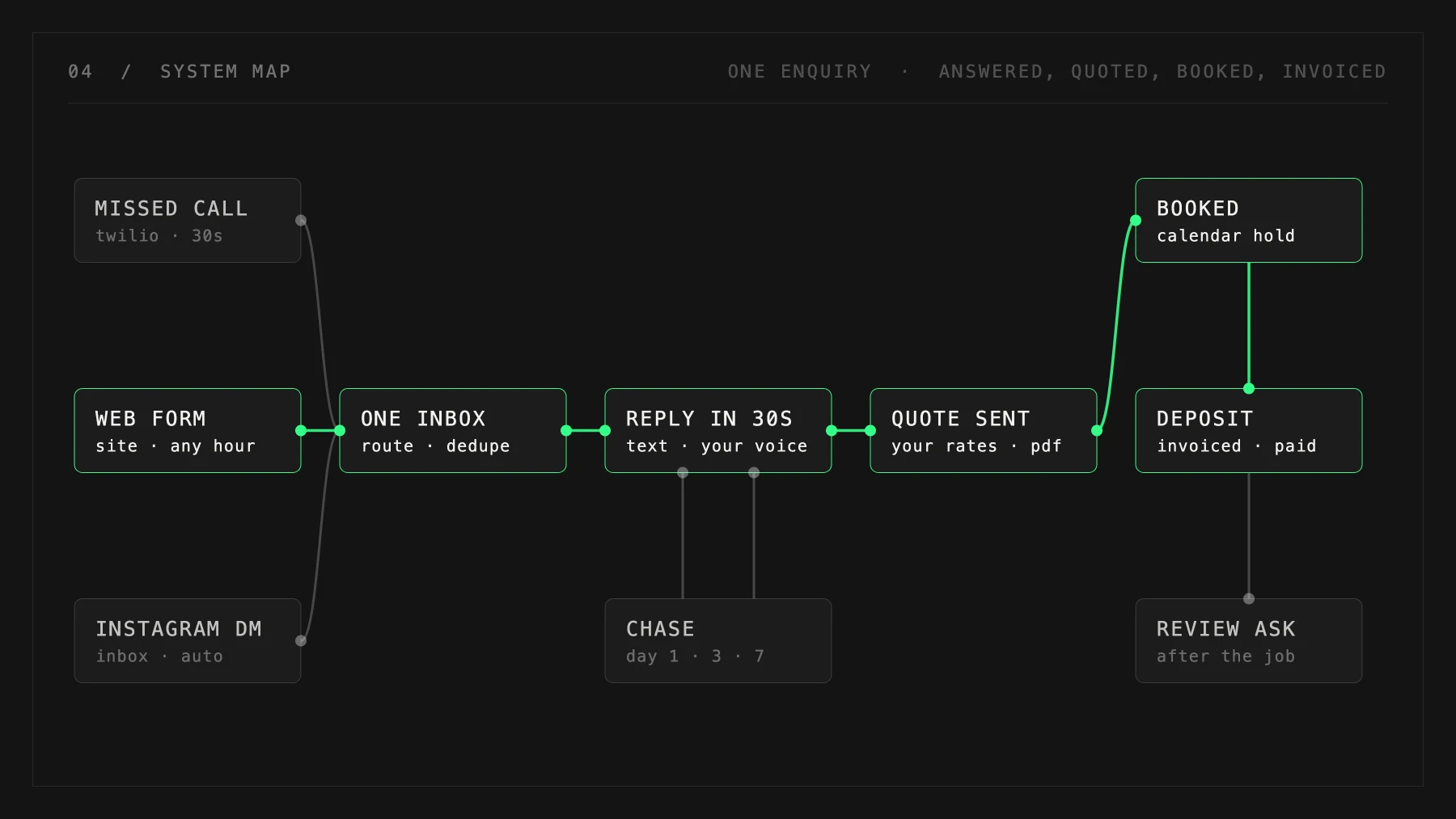
We find the job in your week that's mechanical, boring and quietly expensive, then build the thing that does it. It runs on your own data, it runs every day, and a human still approves anything that leaves with your name on it.
Best for
Teams doing the same job by hand every week
Timeline
3 to 6 weeks
Price
Quoted per project, once we've mapped the work
Why it matters
Most AI work stalls in the same spot. Someone runs a trial, it demos well, everyone agrees it's impressive, and then it never becomes part of how the work gets done. The tool ends up sitting beside the job instead of doing any of it.
The version that survives is narrower and much less exciting. One real workflow, mapped properly, with the boring work around it automated. The finding, the checking, the chasing and the filing is where the hours actually go, and it's the part nobody wants to look at.
What you get
THE WORKFLOW GETS MAPPED FIRST
Before anything is built we sit with whoever does the job now and write down every step, including the ones that only happen on a bad day. A good chunk of the value shows up right here, and some of it needs no software at all.
BUILT AROUND YOUR DATA
It reads your quotes, your jobs, your inbox, your spreadsheet. A system that doesn't know your prices or your history can only ever hand back generic answers, which is why most trials feel useless.
A HUMAN STAYS ON THE TRIGGER
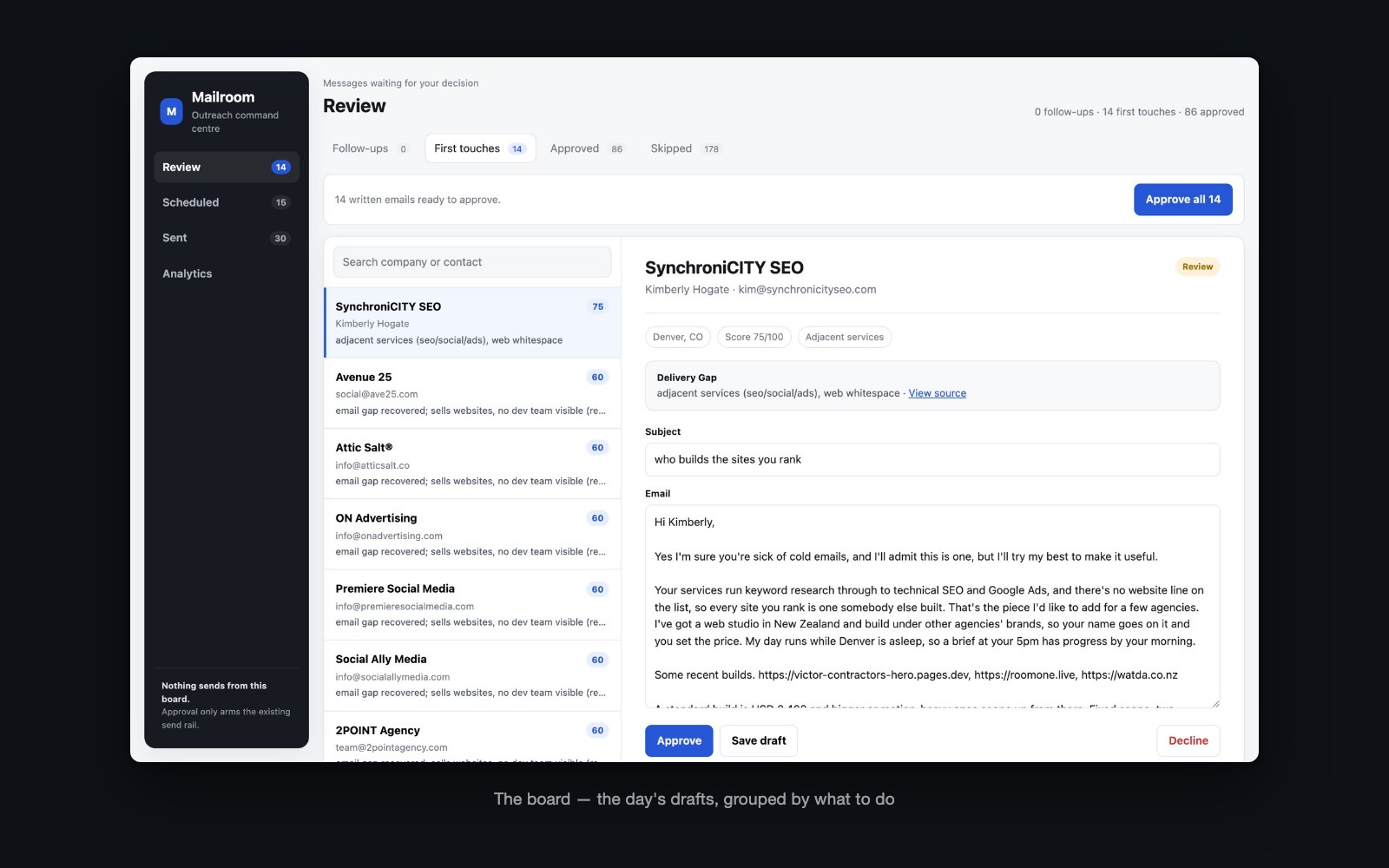
Anything going out under your name waits for someone to approve it. The system does the work and queues it up, and it never decides to send on its own.
SHIPPED INTO THE DAY
Done means your team used it on an ordinary Tuesday without being reminded. Until that happens it's still a demo, and we keep going.
YOU CAN SEE WHY IT DID THAT
Every run leaves a record you can open. When something looks wrong you can check what it read and what it decided, instead of arguing with a black box.
How it runs
Discover
We watch the job get done and write down the real steps. You get told plainly which parts are worth automating and which parts aren't.
Build
It goes up in pieces you can use, starting with the step that costs the most hours. Failures we find become tests, so the same one can't come back quietly.
Live
It runs on a schedule, it logs what it did, and someone on your team owns it. We stay reachable for the changes that come once it's in daily use.
Work like this
Common questions
What kind of jobs suit this?
Repetitive work that has a rule behind it. Quoting off a fixed price list, sorting and answering enquiries, chasing follow-ups, pulling numbers out of documents, keeping two systems in step.
What happens when it gets something wrong?
It will, sometimes. That's why the approval step exists and why every run is logged. We tune it against the cases it got wrong, and those become tests it has to keep passing.
Do we need to be technical?
No. You need to know the job well enough to describe a bad day, and someone on the team needs to own it once it's live.